
VerseFlow: Church Verse Detection & Display System
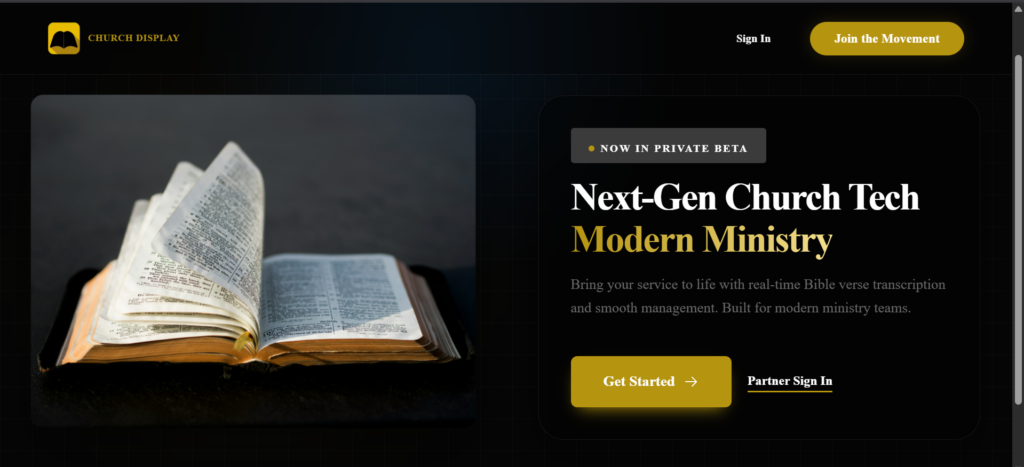
I engineered VerseFlow, a real-time bible transcription and display system that automatically detects Bible verses mentioned during live sermons and displays them instantly on sanctuary screens. Inspired by the high-pressure environment of church media teams, this project eliminates the delays and manual errors of traditional verse-searching, ensuring the congregation stays engaged with the message without distraction.
I chose a stack optimized for low-latency data processing and cross-device compatibility, ensuring the system remains stable during live broadcasts.
Layer | Technologies | purpose |
|---|---|---|
User Interface | Next.js + Mantine UI | Provides a fast, SEO-friendly dashboard for media operators. |
Backend Logic | Node.js & Express | Handles heavy lifting for real-time API routing and logic. |
Database | PostgreSQL + Drizzle ORM | Relational storage for quick indexing of scripture and logs. |
Audio Processing | Web Speech APIs | Captures and transcribes live audio directly from the browser. |
Deployment | PWA (Progressive Web App) – Vercel frontend + Render backend | Ensures the system is installable and reliable across tablets and PCs. |
The Problem: The Search Lag
Media teams have to listen, search, and display verses in a matter of seconds. This high-pressure scramble often leads to delayed visuals, wrong verses, and a distracted congregation.
The Solution: Automatic Queuing
I built a system that listens to the sermon and identifies Bible references as they are spoken. By using real-time voice tools and custom logic, the app automatically prepares the verse, so the media operator only has to tap a display button to show it.
The Impact: A Faster Booth
The system turns the media booth from a search center into a control center. It cuts out human error, removes the display delay, and keeps the congregation focused on the message rather than the tech.
Solving a High-Pressure Workflow
I didn’t build this project based on a theory; I built it because I served on church media teams and saw the struggle firsthand. When a pastor mentions a verse unexpectedly, the media team has to scramble.
The Search Struggle
During a live sermon, a media operator is forced to perform a high-speed cognitive loop every time a verse is mentioned:
Even a 5-second delay feels like an eternity when the whole congregation is waiting. This high-pressure lag is exactly what I set out to fix.
The Problem: The Speed of Manual Search
In a live church service, every second counts. Currently, displaying Bible verses is a manual scramble that often fails for three reasons:
The Challenge: How can we get verses onto the screen instantly and accurately without adding more work for the media team?
Stakeholder Analysis:
Building for the Whole Room
A live service has moving parts. I designed this system to be a silent partner that supports everyone involved without getting in the way.
The Media Team
The Goal: Speed and simplicity.
The Solution: An interface that does the searching for them. Instead of typing, they just tap to approve a detected verse. This lets them stay focused on other tasks like sound and lighting.
The Preacher
The Goal: A natural sermon flow.
The Solution: The system is built to handle different speaking styles and accents. The preacher can speak naturally, knowing the tech will keep up without them having to slow down or change their delivery.
The Congregation
The Goal: Clarity and timing.
The Solution: Large, easy-to-read text that appears the moment a verse is mentioned. This removes the waiting gap and keeps everyone engaged with the message.
SUCCESS CRITERIA
To solve the real-world problems facing church media teams, the system had to hit these four marks:
The Goal: Verses must move from the preacher’s mouth to the screen in under 5 seconds.
The Reason: If it takes any longer, the preacher has already moved on and the congregation loses their place.
The Goal: Create a one-click system.
The Reason: Media teams are often small and busy. The app should do the heavy lifting (searching) so the operator only has to verify and tap.
The Goal: Correct detection across different voices, accents, and Bible versions.
The Reason: Every preacher speaks differently. The system must be smart enough to find the right verse regardless of how it is phrased or spoken.
The Goal: A system that never crashes or freezes.
The Reason: Live services can’t stop for a technical glitch. I built in offline modes so the screens keep working even if the internet fails.
Ideation: The Big Questions
To turn these problems into features, I asked six “How Might We” questions. These helped me stay focused on building tools that actually work in a high-pressure church setting.
Speed & Accuracy
Reliability
Ease of Use
I used two methods to turn my questions into a working product: logic mapping and rapid sketching.
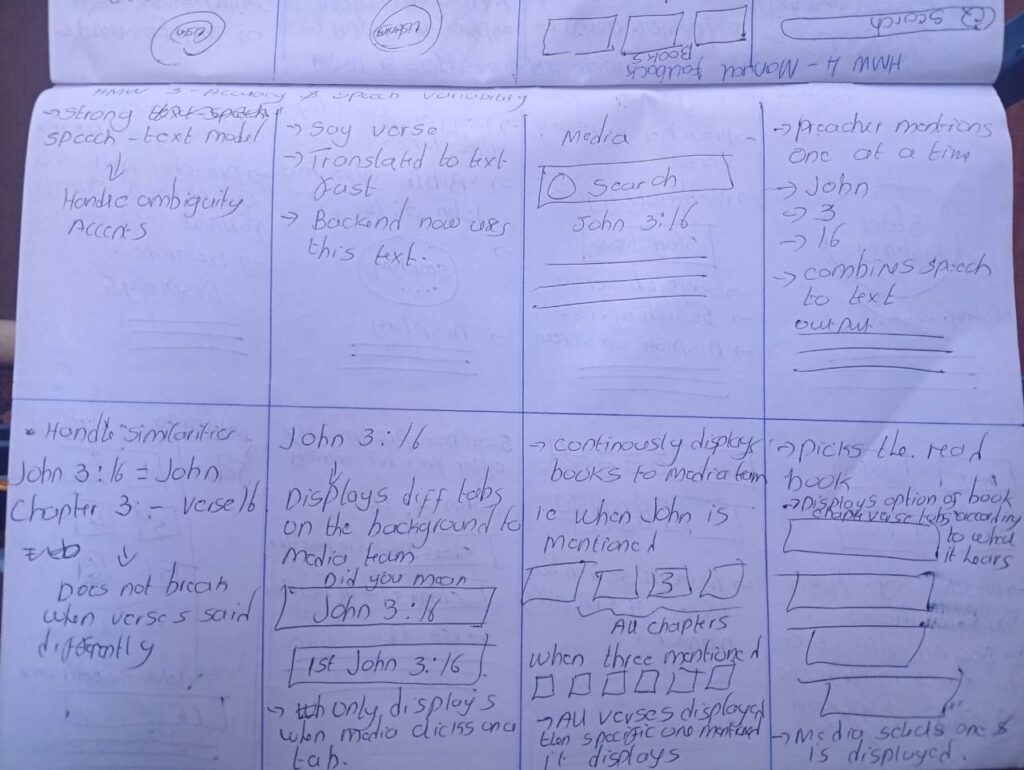
Logic Mapping: If…Then
I mapped out how the app should “think” during a service to handle unpredictable speech:
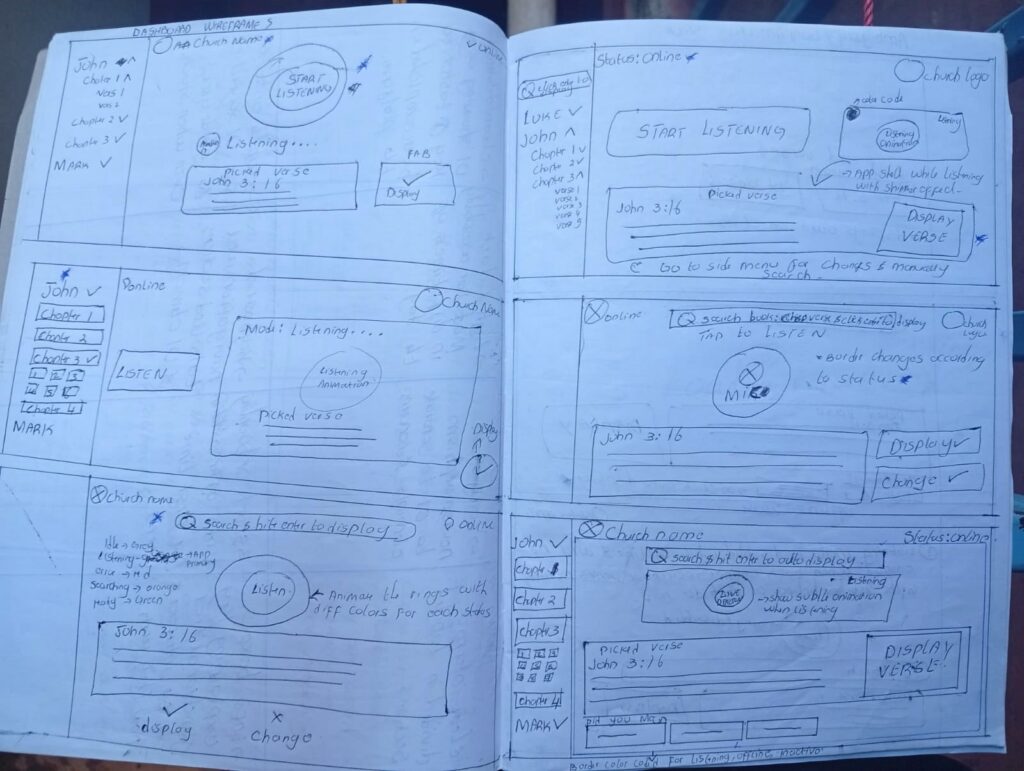
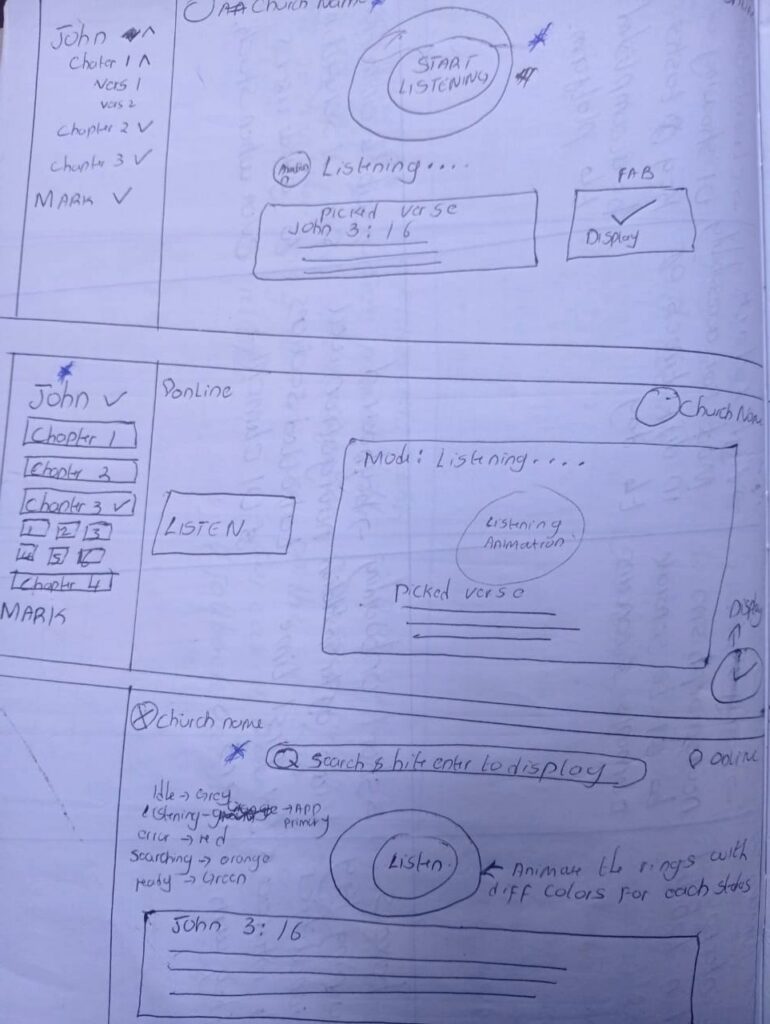
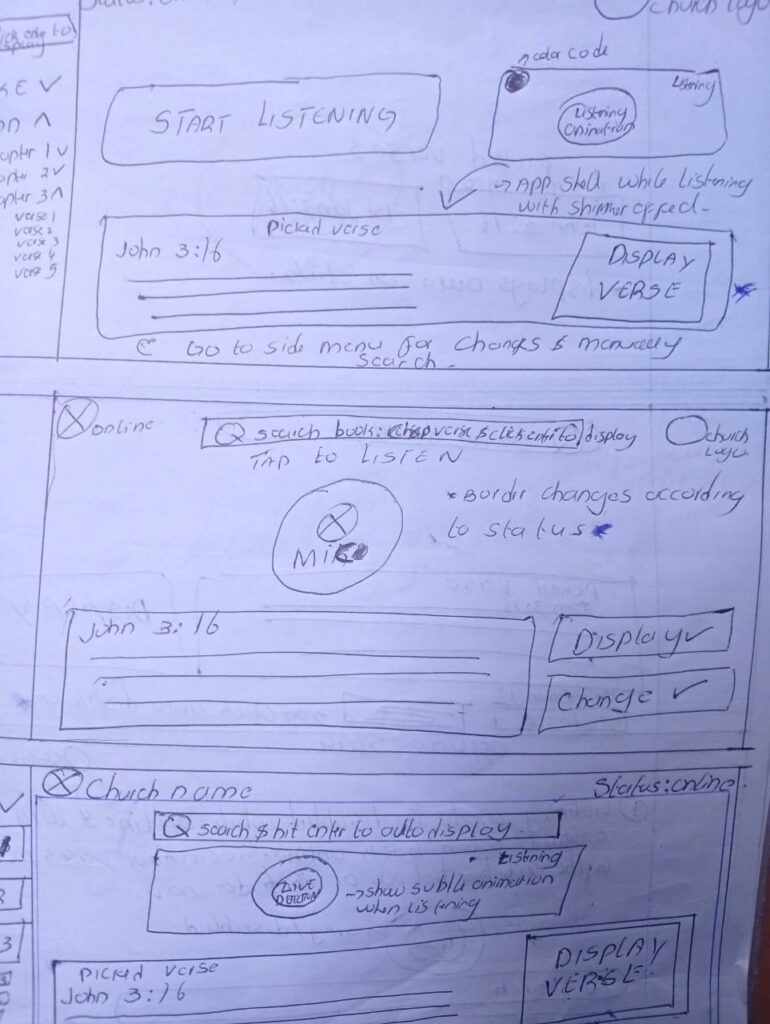
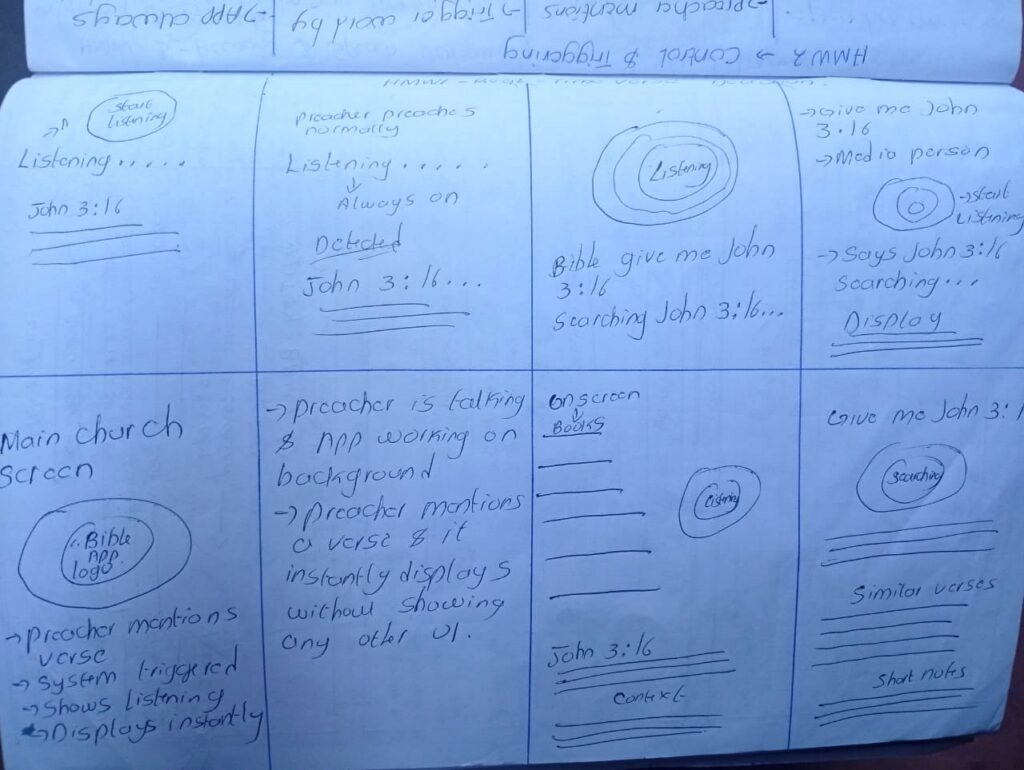
Rapid Sketching: Crazy Eights
I sketched 8 different screen ideas in 8 minutes to find the fastest layout. This led to :-
Key Insights from Ideation
Design Directions: Engineering for the Sanctuary
I established six core directions to balance high-speed automation with the quiet, high-stakes environment of a live worship service.
The Human-in-the-Loop Detection
The Direction:
Intentional Listen Control
The Direction:
Smart Verse Formatting
The Direction:
Fast Manual Backups
The Direction:
Offline-First Reliability
Final Direction:
High-Visibility Design
The Direction:
Information Architecture: The Split-View Strategy
In a live sanctuary, the operator needs data and control, while the congregation needs a clean, focused experience. I architected the system into two distinct interfaces that stay perfectly in sync.
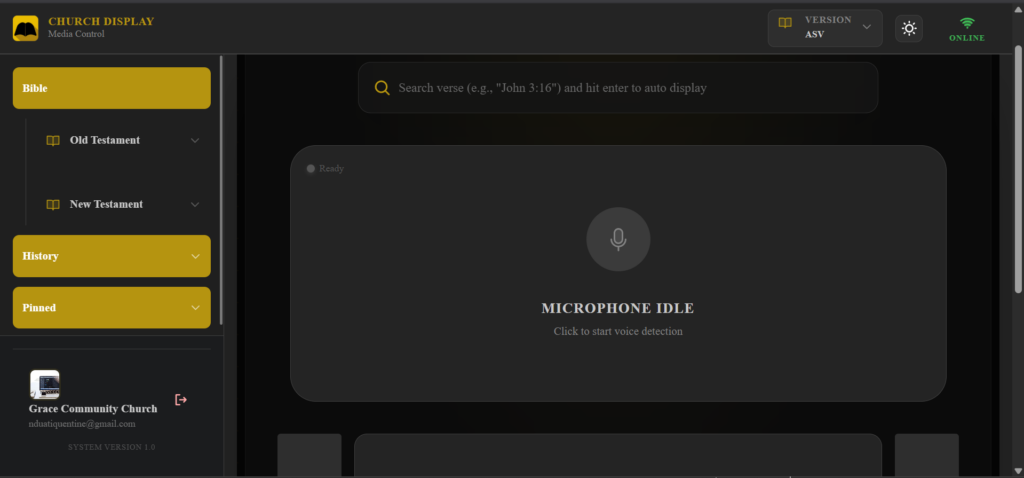
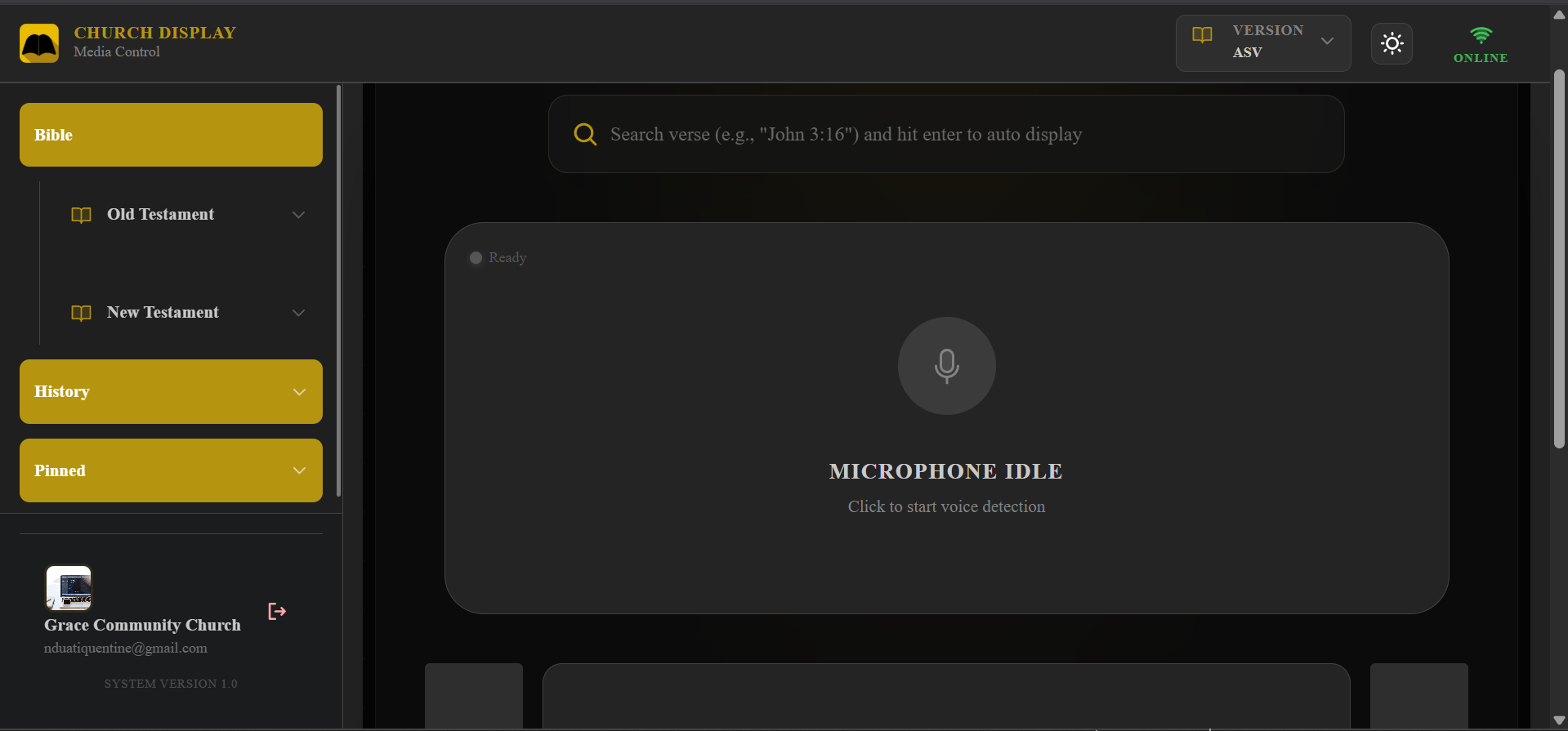
The Media Control Interface (Operational Hub)
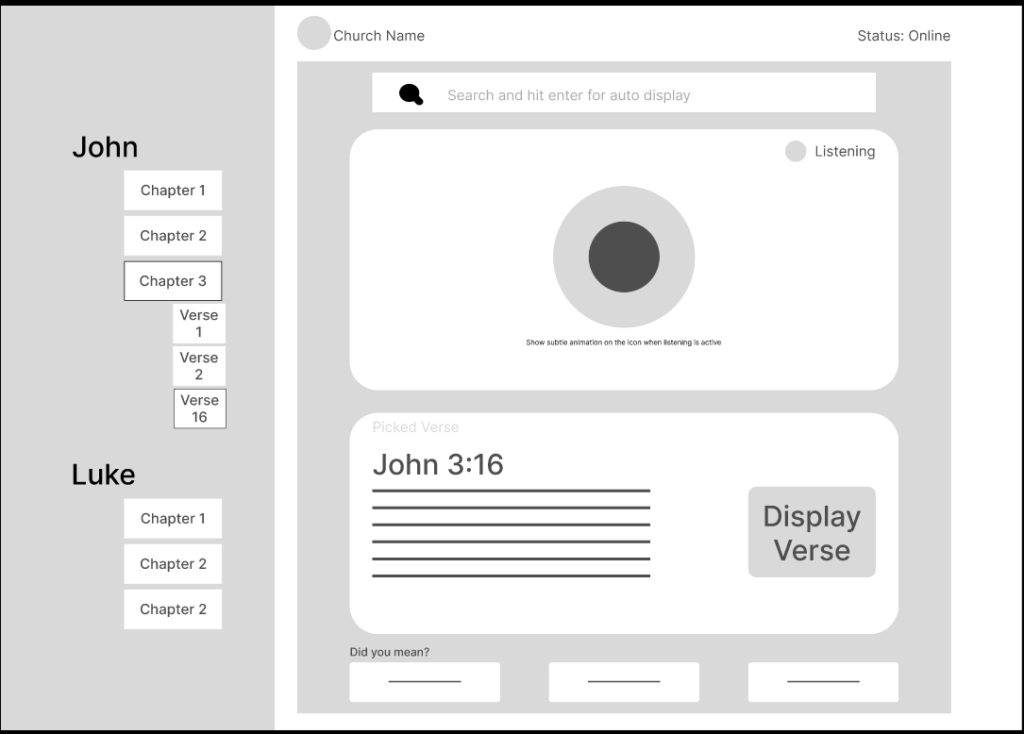
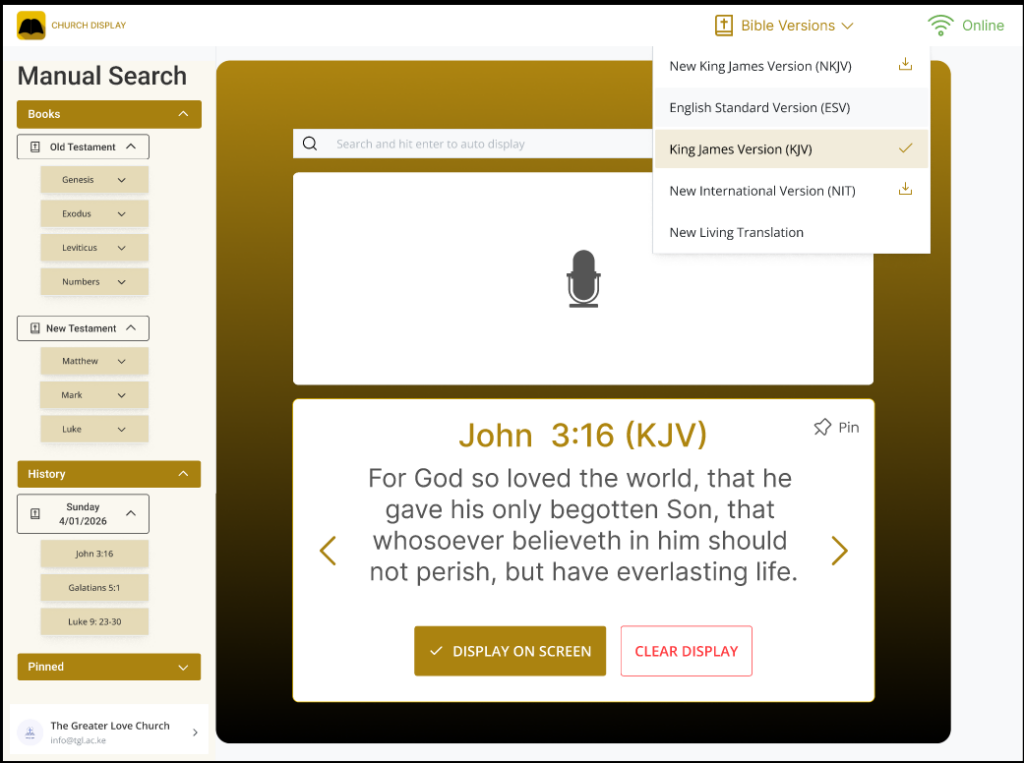
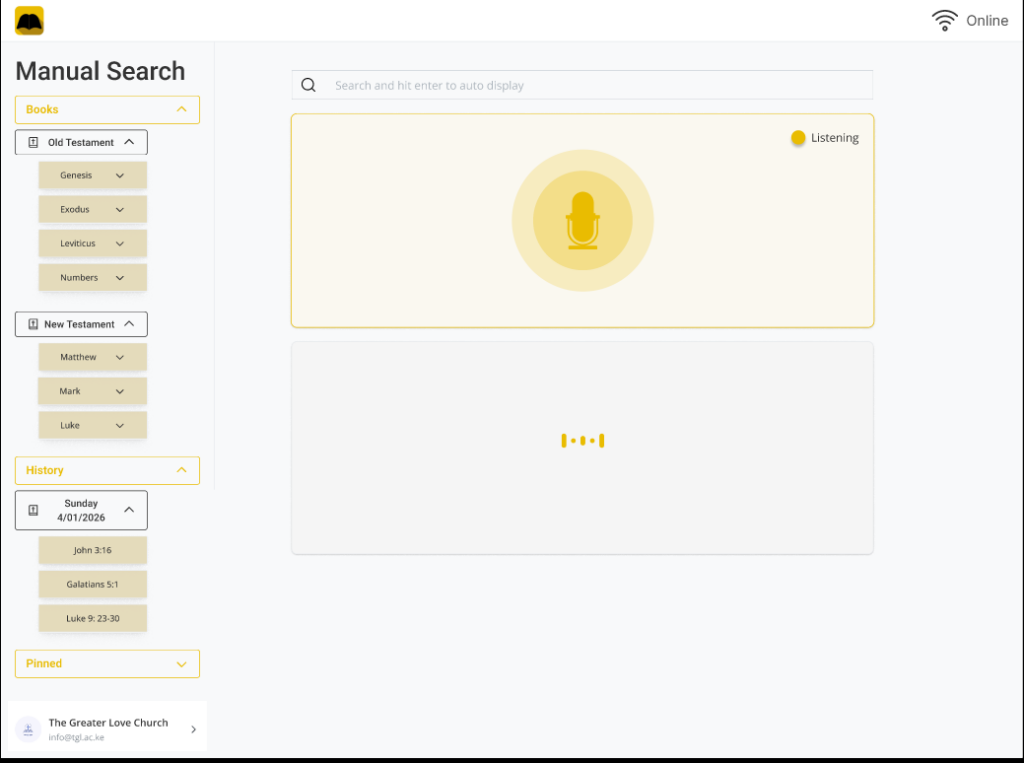
This is the operational interface used by the church media team during live services. Its design focuses on speed, minimal interaction, and clear system feedback. Contains the Live Control Dashboard which is the main screen for the media team and it includes :-
The Live Control Dashboard:
The heart of the app. It provides real-time “Pulse” feedback on the AI’s status (Idle, Listening, Searching, Ready). This transparency ensures the operator is never guessing if the system is working.
The Confirmation Layer:
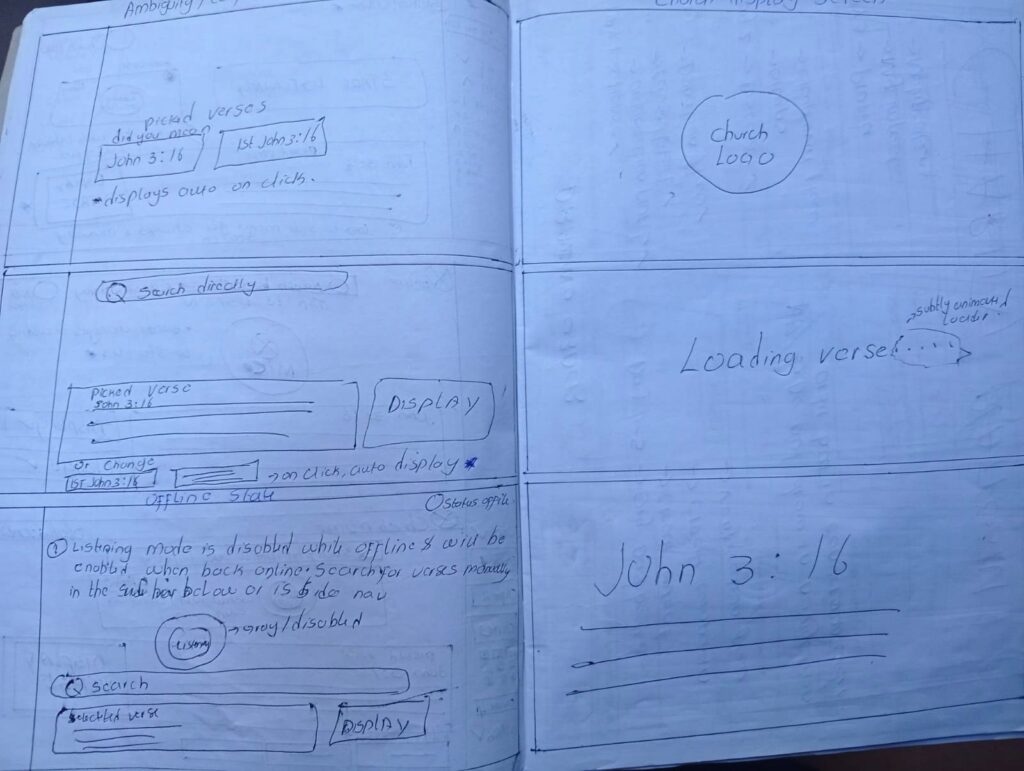
To eliminate speech errors, I built a “Conflict Resolution” UI. If the preacher says “John 3,” and the system hears “1 John 3,” it presents both as options. The operator makes the final call with a single tap.
Muscle Memory Navigation:
The manual backup follows the natural hierarchy of the Bible (Book → Chapter → Verse). I optimized this layout so that volunteers of any skill level can find a verse in seconds without needing complex navigations.
The Church Display Interface (Public Output)
This is a view-only screen stripped of all buttons and menus. It ensures the congregation stays focused on the scripture.
Idle State
Displays a neutral background or church branding when no verse is active. This avoids unnecessary visual noise during the sermon.
Loading State
A subtle, non-distracting indicator that tells the congregation “content is coming.” This makes the transition feel smoother and more intentional.
Verse Display State
Built for the “back row.” I used high-contrast colors and font scaling to ensure the text is readable regardless of the projector quality or the room’s lighting.
How the System Works Behind the Scenes
To make the experience feel invisible during a live service, I designed four specific parts of the app to work together. This setup ensures that even if one part has a hiccup, the rest of the system stays reliable.
User Flows: Planning for the Unpredictable
A live sermon is dynamic, so the system must be flexible. I mapped out four key paths to ensure the media team always has a way forward, regardless of noise, accents, or internet issues.
The Happy Path: From Voice to Screen
This is the ideal scenario where automation does the heavy lifting while the human remains in control.
The Ambiguity Path: Handling Similar Verses
Sometimes, spoken words can mean two things. For example, “John 3:16” could be the Gospel of John or 1 John.
The Manual Fallback: Instant Backup
If the room is too loud or an accent is too thick for the AI, the service shouldn’t stop.
The Offline Flow: Protecting the Service
Many sanctuaries have ‘thick walls’ and spotty Wi-Fi. I designed the system to be local-first.
KEY DESIGN DECISIONS
Designing for a live church environment meant prioritizing speed, clarity, and reliability over purely visual flair. I focused on decisions that would support media teams working under pressure, where there is no room for complex menus or guesswork.
Passive Listening Over Auto-Display
I decided the system should never send a verse to the big screen automatically. Instead, it listens silently and proposes the verse to the operator first.
The Reason: This keeps a human in control. It balances the machine speed with the oversight of the media team, ensuring that “passing comments” by the preacher don’t accidentally end up on the screen.
Total Interface Separation
The operator’s dashboard and the congregation’s display are two completely different views.
The Reason: This ensures that behind-the-scenes work, like searching, correcting, or system alerts, never distracts the audience. The congregation only sees a clean, finished result.
Manual Search as a First-Class Feature
In many apps, the manual backup is hidden away. I chose to make the search bar and navigation menu prominent and just as fast as the voice detection.
The Reason: Automation can fail in a loud room. By making the manual backup a first-class feature, I ensured the system remains dependable no matter what happens in the sanctuary.
Back-of-the-Room Typography
I chose high-contrast, large-scale typography specifically optimized for projection.
The Reason: Unlike a website designed for a phone, this text must be readable from 50 feet away in varying light. I prioritized clarity over visual clutter to make sure every seat in the house has a great view.
Development & Implementation
After mapping out the flows, I built a system designed for speed and stability. The architecture focuses on three things: low delay, constant audio processing, and perfect synchronization between screens.
To achieve this, I implemented a full-stack architecture combining a modern React frontend with a real-time Node.js backend.
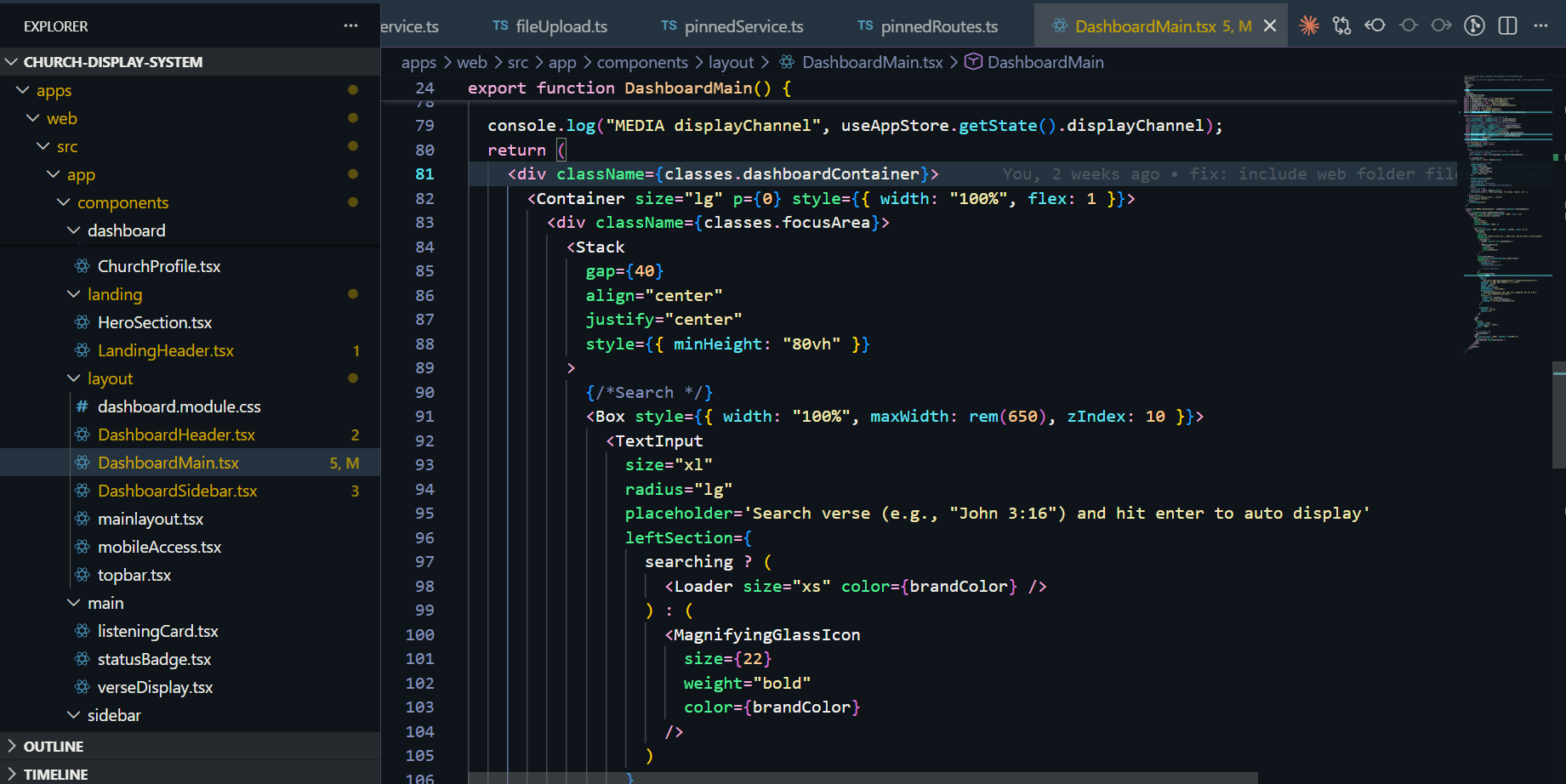
The Frontend: A Responsive Command Center
I used Next.js and Mantine UI to build a fast, clean interface that stays out of the operator’s way
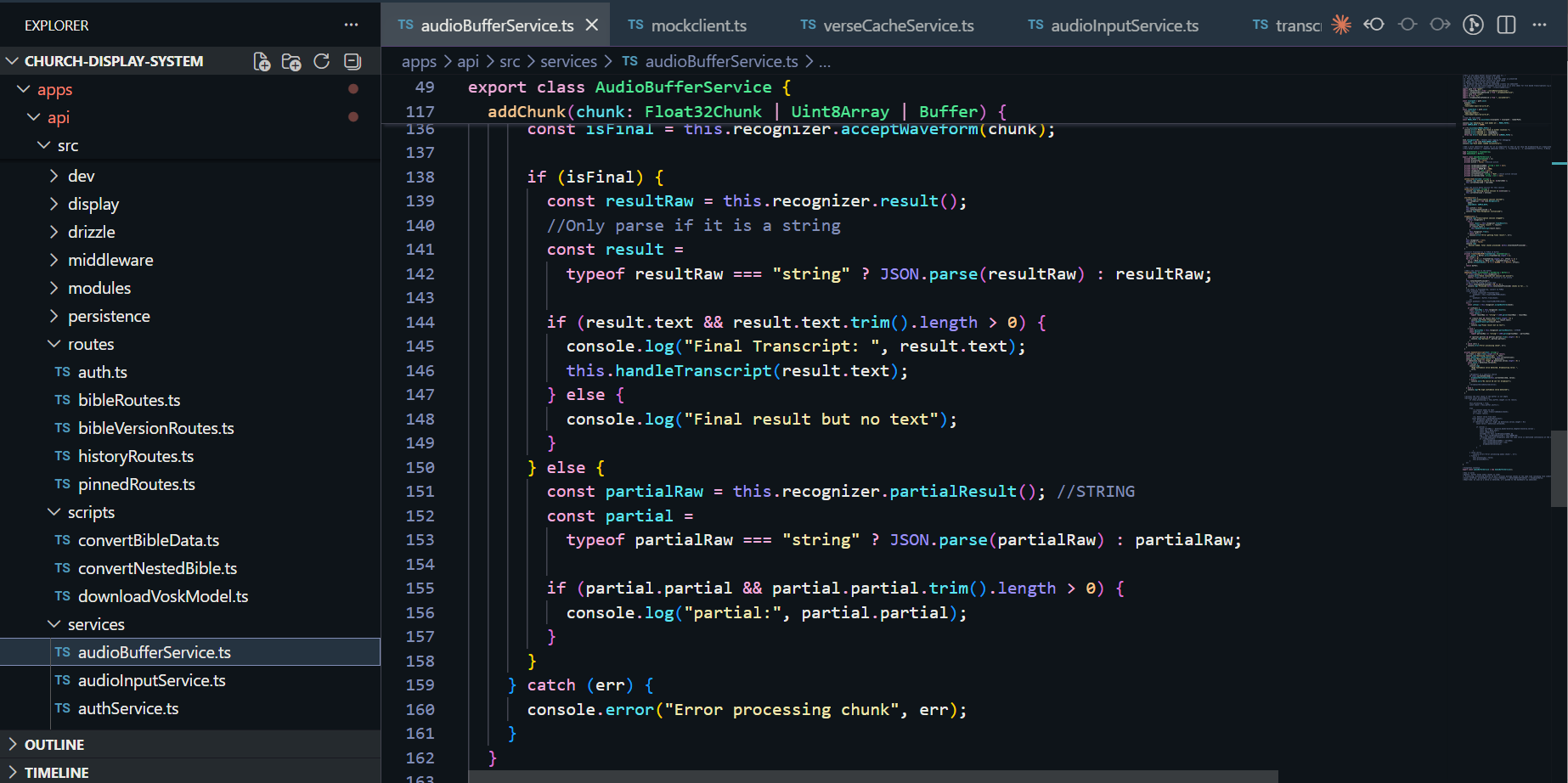
The Backend: Real-Time Communication
The backend, built with Node.js and Express, acts as the brain of the operation, coordinating the audio and the data.
The Speech Pipeline: Listening with Precision
To turn spoken words into screen-ready verses, I integrated an offline-capable machine-learning speech model.
Performance & Reliability
Because a live service can’t be rebooted, I built in several safeguards:
How to Test the Live System
To experience the real-time transcription and multitenant display, follow these steps:
Note: The display screen will only initialize once a church workspace is successfully created and the socket connection is established. Once you’ve explored the features, please return to this page and click here to navigate to the feedback form below to share your experience and any suggested improvements.
Audio Input
Vosk Transcription
Verse Parser
Church Display Screen
WebSocket Broadcast
PostgreSQL Database
Beta Tester Feedback & Feature Requests
Great software isn’t built in a vacuum, it’s shaped by the people who use it. Whether you’ve noticed a small technical detail that could be improved, found a bug during the server wake-up phase, or have a big picture idea for a feature that would add massive value to your workflow, I want to hear it. This project is a living system, and your insights are the primary driver for its next set of updates.
Reflection: Designing for the Moment
Building this project taught me that designing for a live audience is entirely different from building a standard web app. In a sanctuary, there is no undo button once something is on the big screen.
The Balance of Power: I learned that while automation is powerful, human oversight is essential. The Confirmation step was the most important feature I built, as it gave the media team the confidence to trust the AI without fearing a public mistake.
Context is Key: This project pushed me to think about physical environments: lighting, distance, and high-pressure workflows, reminding me that great software must solve problems beyond the screen.
Project Impact
The system changes the media booth from a place of reaction to a place of preparedness. By automating the search process, the tool delivers three major wins:
The Road Ahead
The current version is a functional MVP (Minimum Viable Product) designed for real-world testing. My next steps focus on taking this from a successful test to a robust, scalable tool.
Short-Term: Validation
I am currently gathering feedback from church media teams to see how the system holds up during various service styles. Their insights on accuracy and speed will drive the next set of updates.
Long-Term: Evolution
If the initial tests are successful, I plan to: